
How to Set Up Ringconn Gen 2 on Android and iPhone: Easy Steps

Setting up Ringconn Gen 2 is simple, but doing it correctly is essential for reliable health data. The process includes charging the ring, installing the app, pairing the device, and configuring health preferences.
This guide will help beginners and new users understand exactly how to set up Ringconn Gen 2 and how to use it effectively for daily health monitoring.
Let’s start!
How to Set Up Ringconn Gen 2: Easy Steps
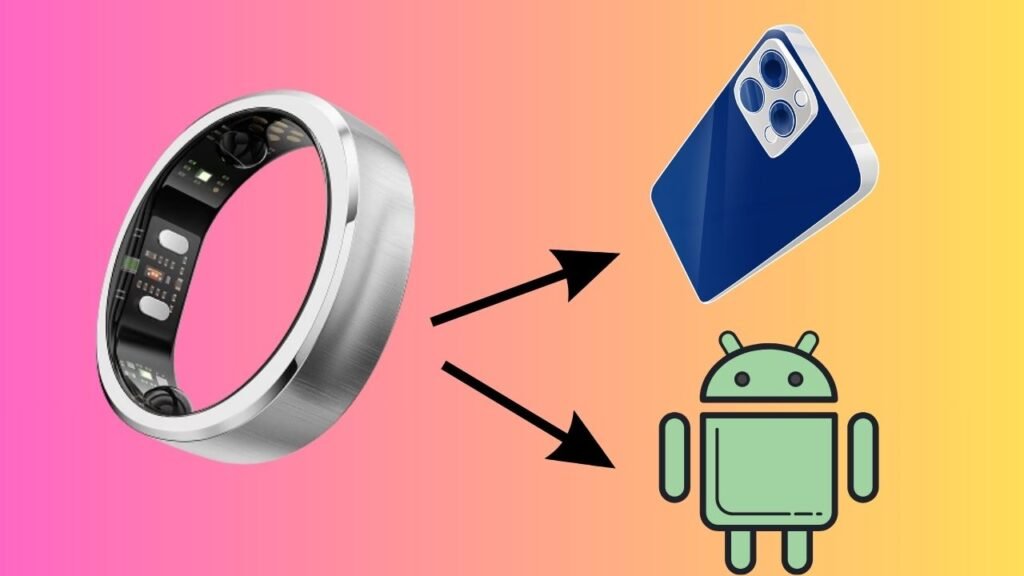
To set up Ringconn Gen 2 on Android or iPhone, charge the ring fully, install the Ringconn app from the Play Store or App Store, create an account, enable Bluetooth, and follow the in-app pairing instructions. Once connected, complete the initial health calibration and wear the ring consistently to start tracking your daily health data.
Step 1: Unbox and Check the Ringconn Gen 2 Package
Before starting the setup, carefully unbox your Ringconn Gen 2. Inside the package, you will find the smart ring, the charging dock, and a charging cable. Make sure the ring size fits comfortably on your finger, ideally on the index finger for best accuracy.
Inspect the ring for any visible damage. If the ring or charger appears faulty, do not proceed with setup and contact customer support. A properly functioning device ensures accurate health tracking from day one.
Step 2: Charge Ringconn Gen 2 Fully Before Setup
Place Ringconn Gen 2 on the charging dock and connect the cable to a power source. Allow the ring to charge fully before pairing it with your phone. A full charge ensures a smooth setup and prevents interruptions during firmware checks or initial calibration.
Charging usually takes a short amount of time, but waiting until the app confirms sufficient battery is recommended. Avoid setting up the ring while it is low on power, as this may cause pairing issues.
Step 3: Install the Ringconn App on Android or iPhone
Open the Google Play Store on Android or the App Store on iPhone and search for the official Ringconn app. Download and install the app developed by Ringconn. Always verify the developer name to avoid installing unofficial or fake apps.
Once installed, open the app and allow it to load completely. Keeping your phone connected to a stable internet connection during this step helps avoid login or registration delays.
Step 4: Create or Sign In to Your Ringconn Account
When you open the Ringconn app for the first time, you will be prompted to create an account or sign in. New users should register using an email address and a secure password. Existing users can log in using their previous credentials.
After logging in, the app may ask for basic personal details such as age, height, weight, and gender. This information is important because Ringconn Gen 2 uses it to calculate accurate health metrics like calorie burn and sleep stages.
Step 5: Enable Bluetooth and Required Permissions
Bluetooth is essential for connecting Ringconn Gen 2 to your phone. Turn on Bluetooth from your phone settings before returning to the Ringconn app. The app will automatically search for nearby devices.
You will also be asked to allow permissions such as Bluetooth access, notifications, and background activity. On iPhone, you may need to allow motion and fitness access. On Android, background running permission ensures continuous data syncing.
Granting all required permissions is necessary for real-time health tracking and accurate syncing.
Step 6: Pair Ringconn Gen 2 with Your Phone
Place Ringconn Gen 2 close to your phone and follow the on-screen instructions to pair the device. The app will display the ring when detected. Select it to begin pairing.
During this process, keep the ring on the charging dock or hold it steady near your phone. Once paired successfully, the app will confirm the connection and may check for firmware updates.
If a firmware update is available, allow it to complete before moving to the next step. This ensures optimal performance and access to the latest features.
Step 7: Complete Initial Calibration and Setup
After pairing, Ringconn Gen 2 performs an initial calibration. The app may ask you to wear the ring for a short period while remaining still. This helps the sensors adjust to your baseline heart rate and body signals.
Follow the app instructions carefully and avoid removing the ring during calibration. Once completed, the ring is ready to collect health data accurately.
Step 8: Learn How to Wear Ringconn Gen 2 Correctly
Correct wearing is critical for accurate data. Ringconn Gen 2 should fit snugly but comfortably, without restricting blood flow. The inner sensors should sit flush against your skin.
Wearing the ring consistently on the same finger improves data consistency. Avoid switching fingers frequently, especially during sleep tracking.
Use Ringconn Gen 2 to Monitor Your Daily Health
Ringconn Gen 2 is designed for passive health tracking, meaning it works best when worn consistently without frequent interaction. The app transforms raw sensor data into meaningful health insights.
Monitoring Sleep Quality
One of the strongest features of Ringconn Gen 2 is sleep tracking. The ring automatically detects when you fall asleep and wake up. It monitors sleep duration, sleep stages, movement, heart rate, and breathing patterns.
Each morning, you can open the app to view a detailed sleep report. This report helps you understand whether your sleep was restorative or restless. Over time, trends emerge that can guide improvements in bedtime routines and sleep schedules.
Wearing the ring every night is key to building an accurate sleep profile.
Tracking Heart Rate and Stress Levels
Ringconn Gen 2 continuously tracks your heart rate throughout the day and night. Using heart rate variability, the ring also estimates stress and recovery levels.
The app presents this data in an easy-to-understand format, showing periods of high stress and calm recovery. This information can help you identify triggers such as work pressure, lack of sleep, or intense workouts.
By reviewing stress trends, you can make informed decisions about rest, exercise, and relaxation.
Activity and Movement Monitoring
While Ringconn Gen 2 is not a traditional sports tracker, it still monitors daily movement and activity levels. The ring tracks steps, movement intensity, and periods of inactivity.
The app summarizes your daily activity and compares it to your personal baseline. This approach focuses on overall health rather than pushing step goals aggressively.
If you prefer gentle reminders to stay active, the ring provides a balanced view of movement without overwhelming notifications.
Readiness and Recovery Insights
One of the most useful features of the Ringconn Gen 2 is its readiness score. This score combines sleep quality, heart rate variability, resting heart rate, and activity data to estimate how prepared your body is for the day.
A high readiness score suggests you can handle intense activity, while a low score indicates the need for rest or lighter exercise. This helps prevent overtraining and burnout.
Using readiness insights daily can lead to better long-term health and performance.
Battery and Charging Management
Ringconn Gen 2 is known for its long battery life, often lasting several days on a single charge. To maintain battery health, charge the ring when the battery level drops below the recommended levels shown in the app.
Avoid overcharging or leaving the ring on the charger for extended periods unnecessarily. Keeping firmware updated also helps optimize battery performance.
FAQs
Is Ringconn Gen 2 waterproof?
Ringconn Gen 2 is designed to be water-resistant for daily activities like hand washing and light splashes. However, it is best to check the official guidelines before swimming or showering with the ring.
How long does the battery last?
Battery life typically ranges from several days to over a week, depending on usage, tracking features, and firmware version. Regular syncing does not significantly drain the battery.
Can Ringconn Gen 2 replace a smartwatch?
Ringconn Gen 2 focuses on health and wellness tracking rather than notifications and apps. It works best as a health companion rather than a full smartwatch replacement.
Does Ringconn Gen 2 track workouts?
The ring tracks general activity and movement but does not offer advanced workout modes like some fitness watches. It prioritizes recovery, sleep, and overall health.
Is the data accurate?
When worn correctly and set up with accurate personal information, the Ringconn Gen 2 provides reliable and consistent health data suitable for daily wellness monitoring.
