
Ringconn Gen 2 Best 5 Settings for Accurate Results: I’ve Tested!

The RingConn Gen 2 delivers the most accurate health data when five core settings are properly configured. These include correct ring fit calibration, personalized health profile setup, optimized sleep tracking sensitivity, heart rate and SpO2 measurement frequency, and activity detection accuracy. Adjusting these settings inside the RingConn app ensures precise readings for sleep, recovery, heart rate variability, and daily activity, allowing users to rely on the data for meaningful health insights.
This guide is designed to help you get the most accurate data possible from your RingConn Gen 2.
Instead of generic tips, you will learn the best five settings that directly influence tracking accuracy, explained step by step clearly and practically.
So let’s start!
Understanding Why These Settings Matter Before You Begin
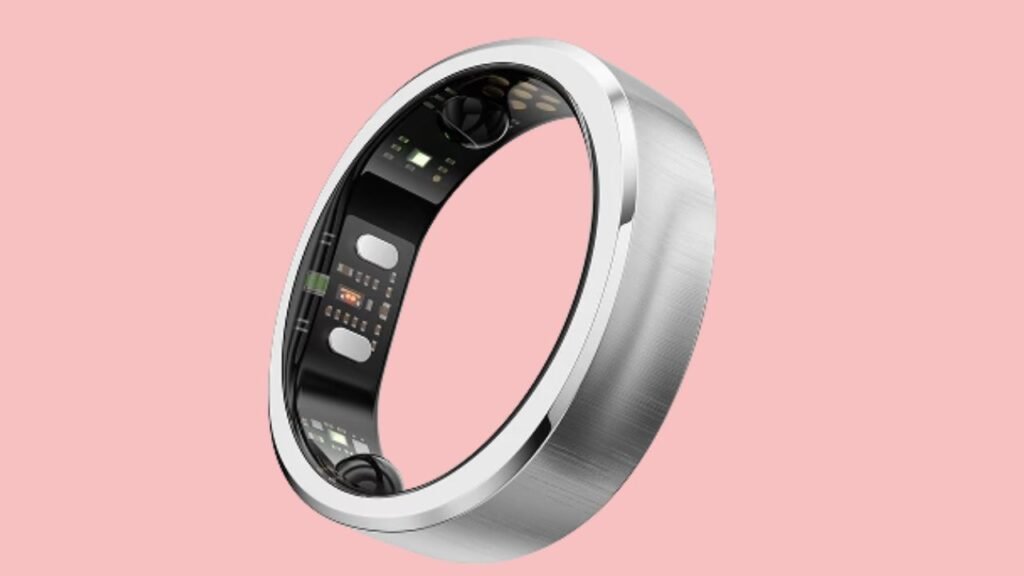
Before diving into the steps, it is important to understand why settings matter so much with a smart ring. RingConn Gen 2 relies on optical sensors, temperature sensors, and motion detection to interpret what is happening in your body. These sensors collect raw data, but the app’s algorithms transform that data into understandable metrics. If the app does not know your body profile or if the sensors are not aligned correctly, the results can be misleading.
Accurate configuration bridges the gap between raw sensor input and meaningful health insights.
Now, let’s jump to the settings that you must know if you want to get the best results!
1: Set the Correct Ring Fit and Finger Calibration
The first and most important setting for accurate results is ring fit calibration. Even the most advanced sensors cannot work properly if the ring does not sit correctly on your finger.
Start by wearing the RingConn Gen 2 on the finger recommended during setup, usually the index or middle finger. The ring should feel snug but not tight. It should not rotate freely, yet it should also not restrict blood flow. Open the RingConn app and go to the device settings section. Look for ring fit or calibration options. Follow the on-screen instructions, which may include checking sensor contact and confirming the finger you are using.
Proper calibration ensures that the optical sensors remain in consistent contact with your skin. This consistency directly impacts heart rate accuracy, blood oxygen readings, and sleep stage detection. If you change fingers later, you must update this setting again. Many users ignore this step, leading to fluctuating or unreliable data.
2: Personalize Your Health Profile in the App
The second critical setting is your health profile configuration. RingConn Gen 2 uses personal information to adjust its algorithms, making the results far more accurate and relevant.
Open the app and navigate to your profile settings. Enter accurate details such as age, height, weight, biological sex, and general activity level. These inputs allow the system to calculate metrics like calorie burn, recovery scores, and baseline heart rate more precisely.
Take extra care when selecting your activity level. If you choose an activity level that is too high or too low, the ring may misinterpret your daily exertion and recovery needs. Updating this profile whenever your lifestyle changes, such as starting a new fitness routine, helps maintain long-term accuracy.
3: Optimize Sleep Tracking Sensitivity
Sleep tracking is one of the strongest features of RingConn Gen 2, but it depends heavily on sensitivity settings. Many users leave default sleep settings unchanged, which may not suit their sleeping habits.
Inside the app, locate the sleep settings section. Adjust sleep sensitivity based on how you sleep. If you are a light sleeper who moves frequently, a higher sensitivity setting helps detect brief awakenings and restless periods. If you are a deep sleeper, moderate sensitivity often provides cleaner data without overestimating movement.
Also, ensure that automatic sleep detection is enabled. This allows the ring to recognize sleep periods even if you go to bed at different times each day. Consistent sleep data improves the accuracy of recovery and readiness insights, which rely on long-term sleep trends rather than single nights.
4: Configure Heart Rate and SpO2 Measurement Frequency
Heart rate and blood oxygen levels are central to many RingConn Gen 2 health metrics. The frequency at which these measurements are taken directly affects accuracy and battery usage.
Open the health monitoring settings in the app and review heart rate measurement frequency. For users focused on wellness and recovery, continuous or high-frequency monitoring is recommended, especially during sleep. This setting allows the ring to capture heart rate variability trends, which are essential for stress and recovery analysis.
Next, adjust SpO2 tracking settings. Enable nighttime SpO2 monitoring for the most reliable results. Nighttime measurements are generally more stable because movement is minimal. This data is particularly useful for identifying breathing irregularities and understanding sleep quality.
Balancing frequency and battery life is important, but accuracy should be prioritized if health insights are your main goal.
5: Fine-Tune Activity Detection and Motion Sensitivity
Activity tracking accuracy depends on how well the ring interprets movement. RingConn Gen 2 offers activity detection settings that help distinguish between walking, exercise, and daily tasks.
Go to the activity settings in the app and enable automatic activity detection. Adjust motion sensitivity based on your daily routine. If you have an active job or use your hands frequently, medium sensitivity often prevents false activity detection. If you are mostly sedentary with planned workouts, higher sensitivity ensures workouts are captured accurately.
Also, review step counting calibration. Take a short walk and compare the ring’s step count with your actual steps. If there is a noticeable difference, use the calibration option to fine-tune accuracy. Accurate activity detection improves calorie calculations and contributes to more reliable recovery scores.
How These Five Settings Work Together
Each of these settings plays a role on its own, but their real power comes from working together. Proper ring fit ensures clean sensor data. A personalized health profile gives context to that data. Optimized sleep sensitivity captures restorative patterns. Correct heart rate and SpO2 frequency reveal internal physiological changes. Accurate activity detection balances exertion and recovery.
When these elements align, RingConn Gen 2 delivers insights that feel consistent and trustworthy over time rather than random or confusing.
Common Mistakes That Reduce Accuracy
Many users unknowingly reduce accuracy by skipping calibration steps, entering incorrect profile data, or frequently switching fingers without updating settings. Another common mistake is expecting immediate perfection. RingConn Gen 2 improves accuracy over time as it learns your baseline patterns.
Consistency in wear and settings is key to long-term precision.
FAQs
How long does it take for RingConn Gen 2 to provide accurate data?
RingConn Gen 2 usually needs seven to fourteen days of consistent wear to establish reliable baselines. During this period, accuracy improves as the system learns your patterns.
Should I wear RingConn Gen 2 all day or only at night?
For the most accurate results, it is recommended to wear the ring both day and night. Continuous data helps improve sleep, activity, and recovery insights.
Does the dominant or non-dominant hand matter?
Yes, it can matter. Wearing the ring on your non-dominant hand often reduces excessive movement interference, leading to cleaner data. Always update the app if you change hands.
How often should I update settings?
You should review settings whenever there is a change in lifestyle, activity level, or finger placement. A monthly check is also a good habit.
Can incorrect settings affect battery life?
Yes, higher measurement frequency can reduce battery life. However, accuracy improves with more frequent monitoring. Finding the right balance depends on your priorities.
